Actions
Actions represent emission reduction initiatives such as equipment upgrades, behaviour change programs or switching to renewable energy. Each action models how, where, and when emissions will be reduced, along with their financial implications.
Creating an Action
-
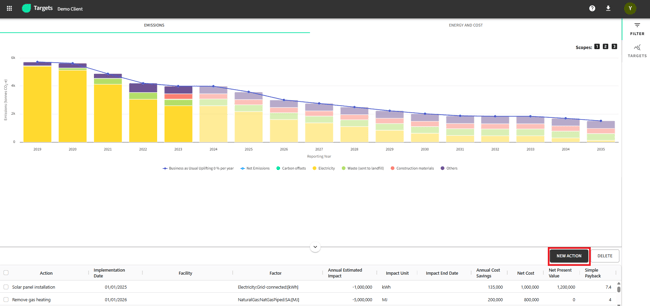
Navigate to the Actions tab and Click “Create New Action”
-
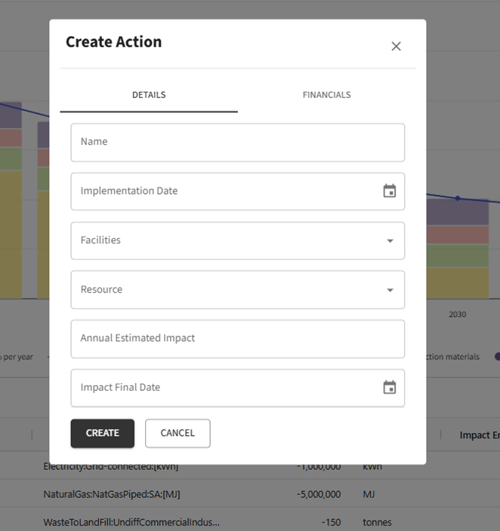
Complete the form:
-
Name (required) - e.g., “Solar Panels on HQ Roof”
-
Implementation Date (required) - when the action begins
-
Facility - which site the action affects
-
Resource - what emission source it impacts
-
Annual Estimated Impact - tCO₂-e reduction
-
Impact Final Date - when the effect ends
-
-
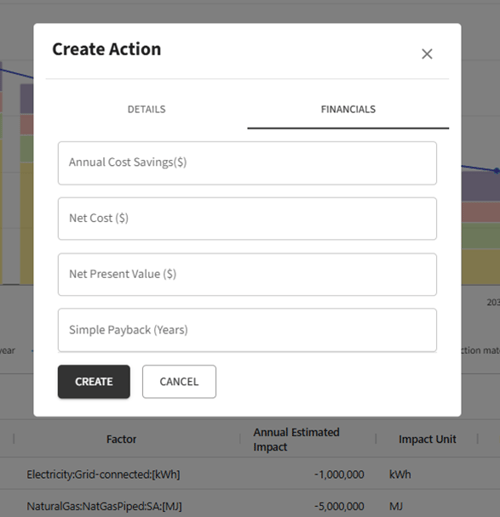
Financial Data (Optional but Recommended) - When creating an action, you can also input financial information. This data helps assess the economic impact alongside the environmental benefits:
-
-
Annual Cost Savings
-
Net Cost
-
Net Present Value
-
Simple Payback (years)
-
Managing Actions
You can modify or remove actions as needed:
-
Click an action to edit
-
Use the delete icon to remove outdated or irrelevant actions
-png.png?width=650&height=290&name=image-20250506-051058%20(1)-png.png)
Applying and Viewing Actions
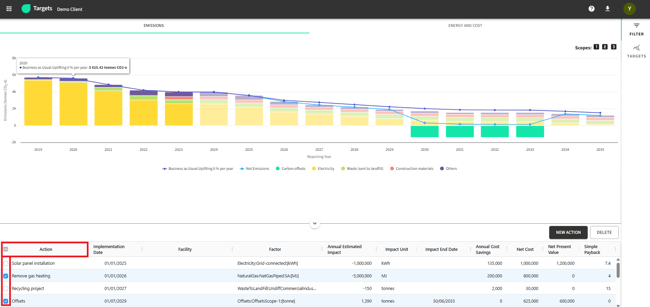
Actions will update the forecasted emissions in the dashboard:
-
Use the checkbox selector at the bottom of the page.
-
The emissions graph updates in real-time, reflecting selected actions.
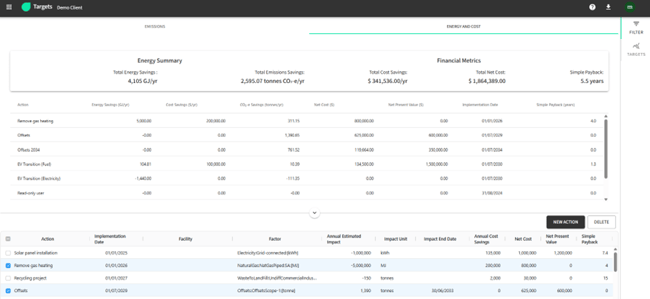
Financial Overview
This overview allows you to compare the cost-effectiveness of different actions and priorities initiatives based on both environmental and economic factors.
Use the “Energy and Cost” tab to access:
-
Total Energy Savings
-
Total Emissions Savings
-
Total Cost Savings
-
Total Net Cost
-
Simple Payback