
Filtering allows you to focus on specific aspects of emission data. This feature helps you analyse particular, resources, or particular facilities or larger facility groups.
Using Filters
Locate the filter options at the top of the right sidebar.
Select the criteria you wish to filter by:
-
Resources: Choose specific emission sources
-png-1.png?width=650&height=626&name=image-20250507-045228%20(1)-png-1.png)
-
Facilities: Select which facilities to include
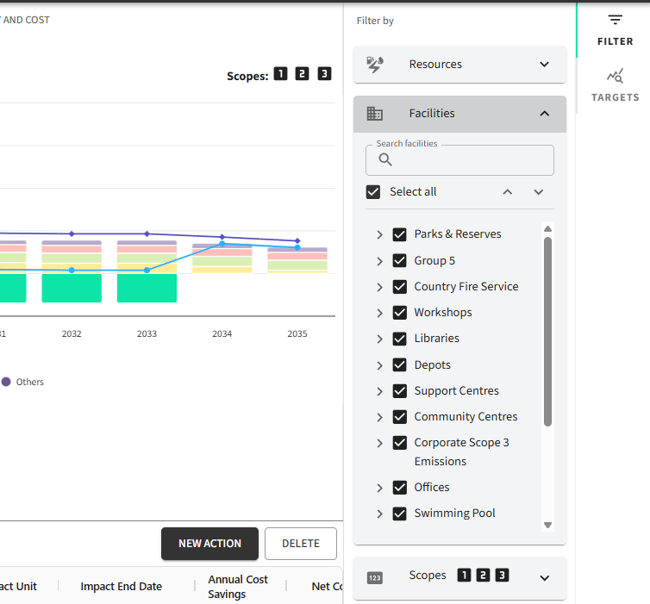
-
Emission Scopes: Choose which scopes to view emissions by
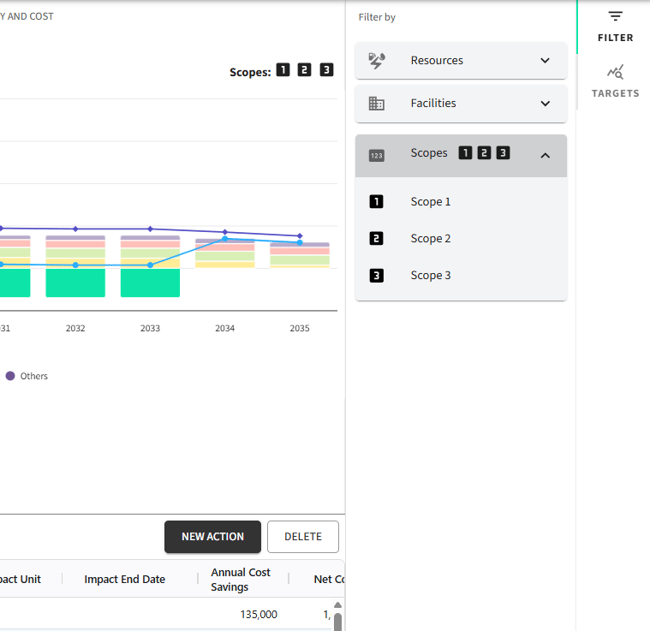
Charts automatically update based on selected filters, offering real-time clarity.
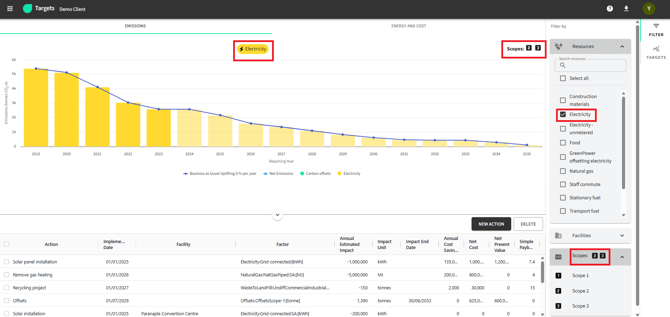
Note: Filters and Targets are not dynamically refreshed. To avoid conflicting results, ensure your selections are compatible. For example, avoid filtering by "Electricity" (typically Scope 2) while selecting a Scope 1 only target.