
Overview
The Targets module is an advanced sustainability planning tool designed to help organisations strategically manage their environmental impact. With this module, users can forecast future emissions, set emission reduction goals, and monitor progress using powerful visual analytics and financial metrics.
Ideal for ESG leaders, facility managers, and sustainability consultants, this module empowers you to make data informed decisions and translate ambition into action. Whether you are aiming for net-zero, aligning with SBTi, or complying with government mandates, the Targets module is your go to for effective carbon reduction planning.
Key Capabilities
-
Set and manage organisation wide targets with flexible methodologies
-
Model emission reduction actions by facility and resource
-
Visualise emission forecasts alongside applied actions and goals
-
Analyse financial outcomes of sustainability efforts (cost, savings, ROI)
-
Filter and report by resource, facility, or emission scope
-
Export data for stakeholders or compliance reporting
How to access Targets
-
Navigate to the Targets Module Using the app switcher located on the top left corner of your screen.
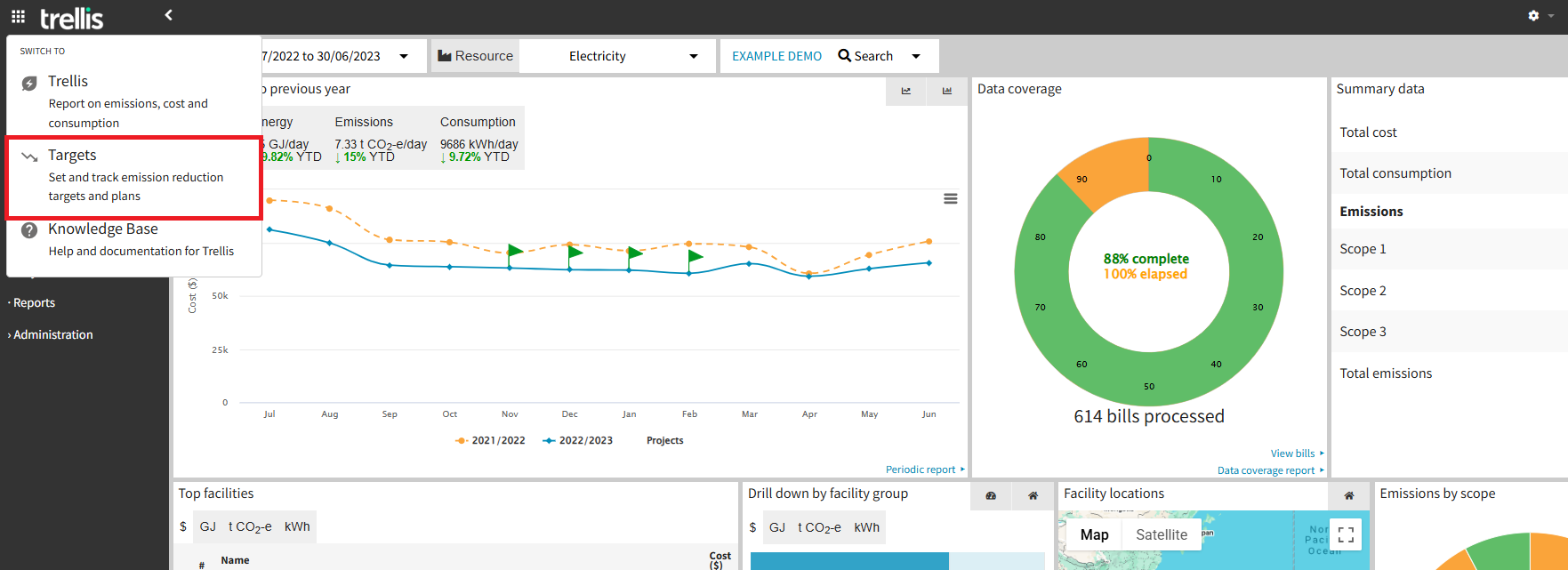
Note: Targets is a preview feature available to selected users currently. Please contact our Customer Success team for more information.
Default View Overview
-
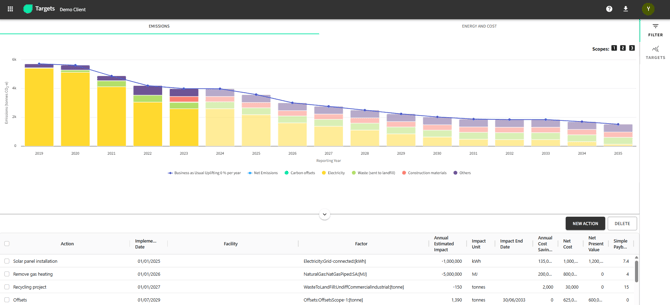
The default view will load to display all of your annual actual emission data currently available in Trellis (in solid colours), alongside initial projected emissions for future years (in lighter colours).
-
The default projection chart (shown when no actions or targets are selected) uses an end date that is either configured in the Inventory Settings or, if not specified, defaults to 2035.
-
In the Targets Dashboard, you can:
-
View multiple targets in a single consolidated chart
-
See forecasted emissions compared to your reduction goals
-
Monitor actual progress over time
-
Data Requirements & Projections
Consumption Data Input
-
The module requires historical consumption data to generate reliable scenario modelling.
-
Emissions are calculated applying emission factors to consumption data provided by Australian Government (sourced from: https://www.dcceew.gov.au/sites/default/files/documents/australias-emissions-projections-2024.pdf).
-
Emission factors are regularly updated following government releases.
Projection Limitations
-
The system projects emissions for assets that have consumption data within the past two years, lacking data within this window will not show projections until recent data becomes available. This requirement ensures projections are based on current and relevant consumption patterns.
-
Example: In 2025, there must be consumption data from either 2024 or 2023 to generate projections.
-
The baseline year serves only as the starting point for target creations and may vary between targets.
Resource-Specific Projections
-
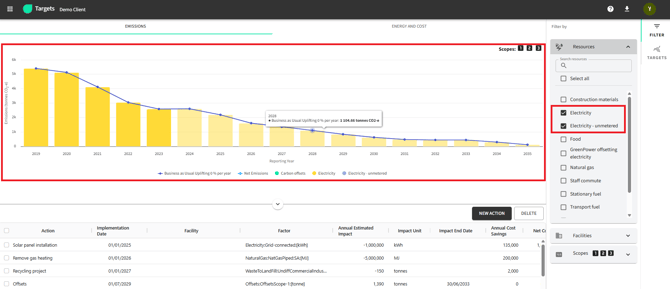
Electricity: Projections account for grid greening over time, reflecting expected changes in emission factors regardless of specific reduction actions.
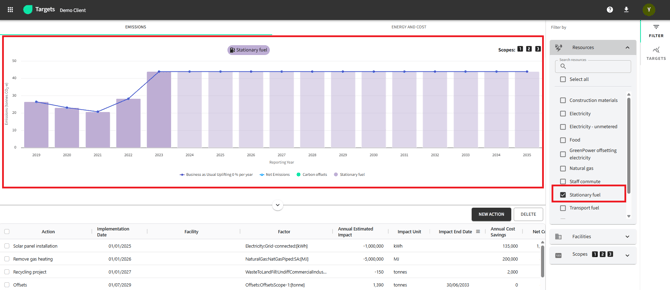
- Other Resources: Projections maintain constant emission levels based on the most recent year's data unless specific reduction actions are defined and applied.
Module Components
What’s New
|
Update |
Benefit |
|
Multiple Targets in One Chart |
Compare goals and progress in a single view |
|
Custom Target Creation |
Set goals by specific resource and scope |
|
Improved Filtering |
Charts respond instantly to user filter selections |
|
Removal of Absolute Targets |
Simplifies options; focus now on % reduction or total value |
|
Relocating Targets Module |
Navigate seamlessly between modules including Targets, using the new App Switcher |
Why Use the Targets Module?
-
Align with climate commitments (e.g., Net Zero, SBTi)
-
Meet regulatory requirements and reporting standards
-
Optimise investments in sustainability
-
Communicate clear progress to stakeholders
Note: To understand more about this module and get it enabled, please contact our team on support@yourtrellis.com