
Key Topics Covered
Market vs. Location Based Reporting
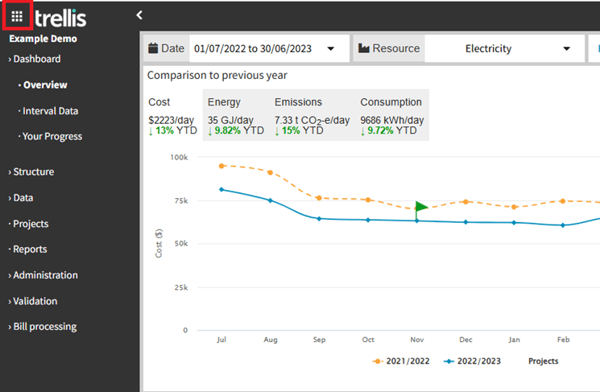
App Switcher Navigation
- We have introduced a streamlined navigation system to help you move efficiently between different modules, including our powerful Targets module for sustainability planning.
Before
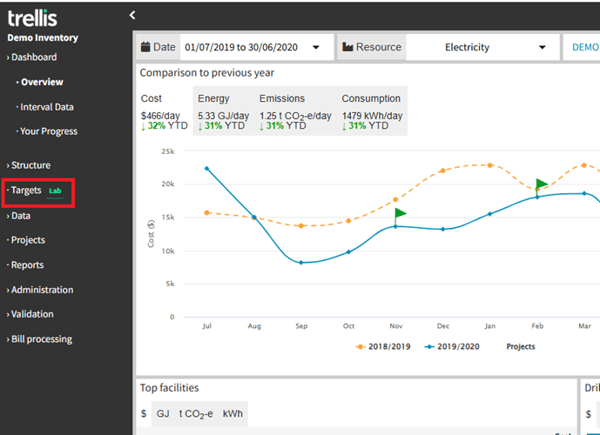
After
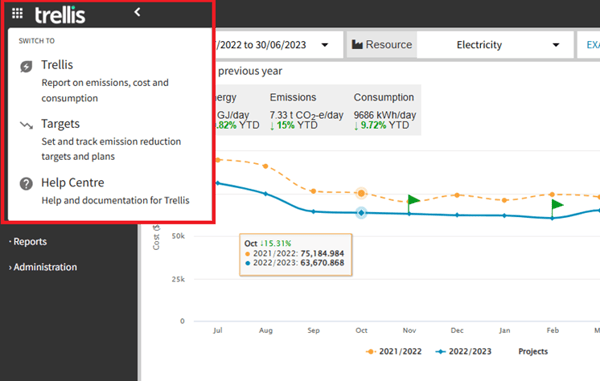
Targets Module
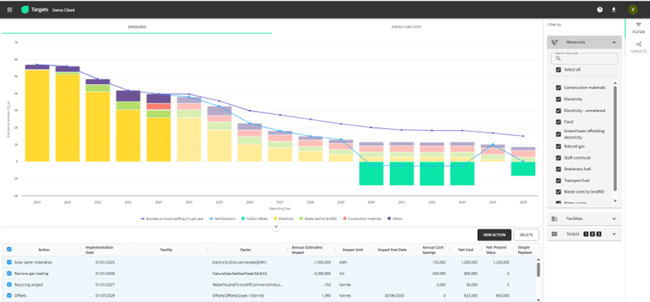
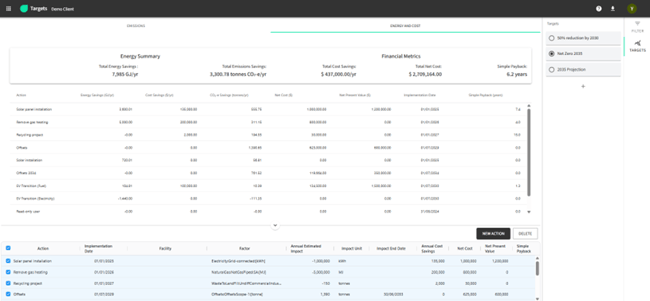
- For organisations yet to explore this capability, our Targets module offers planning and tracking sustainability targets across facilities, resources, and emissions of scopes 1, 2, and 3.
- It includes reporting on advanced metrics like cost savings, net cost, and emission savings, along with dynamic visualisation tools for monitoring progress and enabling data-driven decisions.
New Updates
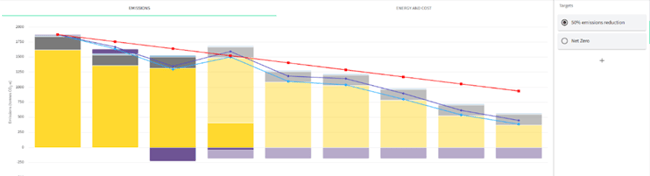
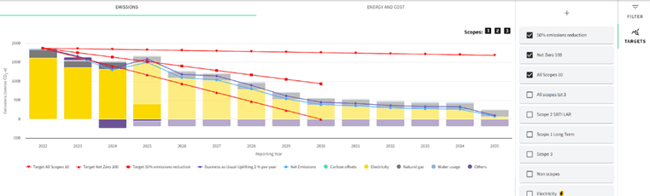
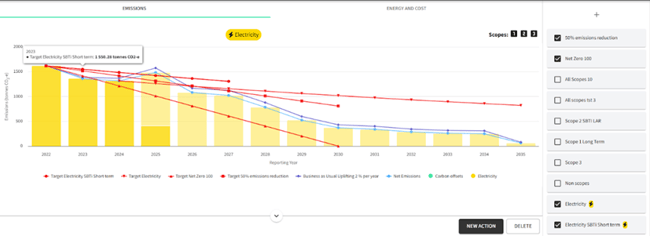
- Multiple targets in one chart: You can now create and display multiple emission reduction targets within a single graph for comparative and consolidated analysis.
Before
After
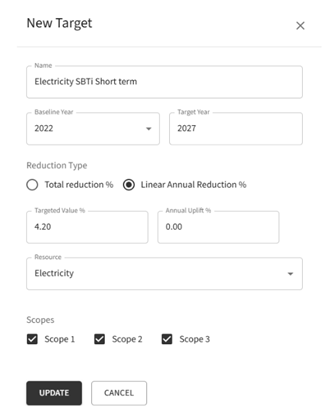
- Customised target creation: Targets can now be tailored to specific resources and emission scopes, allowing for more targeted and meaningful reduction planning.
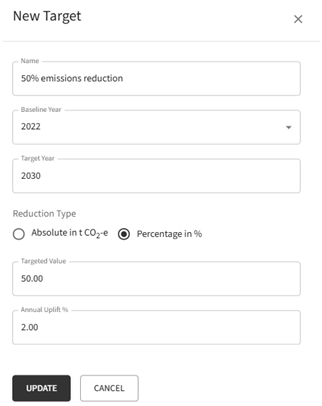
- Two target-setting methods available:
- Linear annual reduction: Define a fixed annual percentage reduction.
- Total percentage reduction: Set an overall reduction target to be achieved over time.
Note: The “Absolute in tCO₂” option has been removed.
Before
After
- Dynamic chart filtering: Charts now automatically update based on selected resources and scopes, ensuring visualisations remain relevant to the target context.
Before – Resource and scope selections were not available, so filtering options were not required.
After
Enhanced Scope 3 Reporting
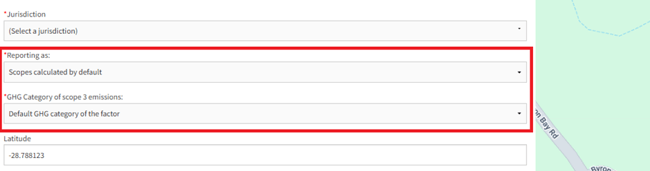
Facility-level emissions management with four distinct reporting methodologies:
- Scopes calculated by default
- Sum across scopes reported as Scope 3
- Scope 1 or 2 reported as scope 3
- No emissions – Consumption and cost only
And three different options for GHG Category selection:
- Default GHG category of the factor
- Category 8, Operation of assets leased by the reporting company
- Category 13, Operation of assets owned by the reporting company
Before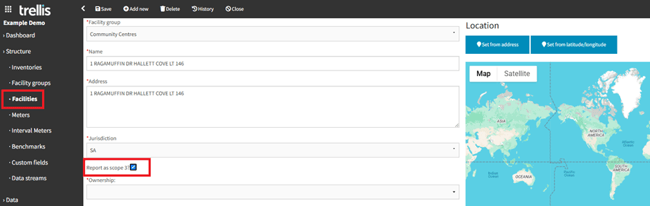
After
Note: For more information and guidance on this new feature please refer to our Documentation
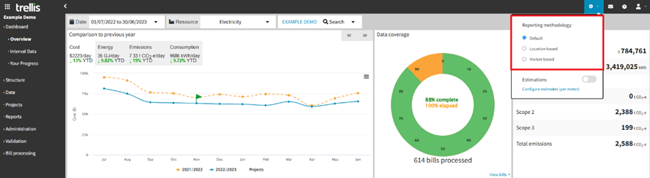
Market vs. Location-Based Reporting
- Global methodology switch affecting all reports and dashboards
- Seamless toggling between default/location/market methodologies
- Centralised reporting settings panel
Note: For more information and guidance on this new feature please refer to our Documentation
Advanced Estimation Capabilities
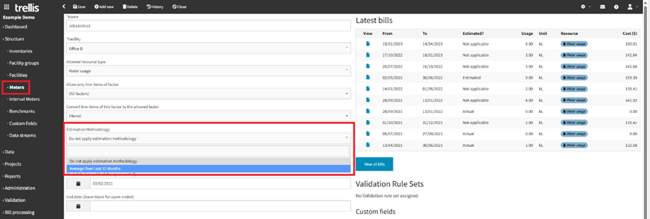
Trellis' Estimations feature enhances report accuracy by filling in missing data using a structured calculation. It allows users to apply an estimation methodology at the meter level, which can be toggled on or off.
- Toggle for estimate inclusion/exclusion
- Centralised reporting settings panel
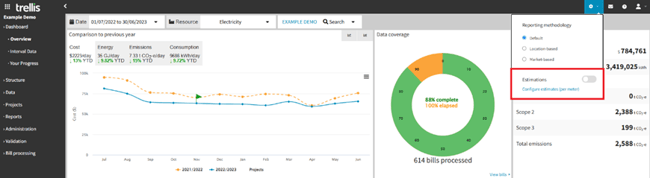
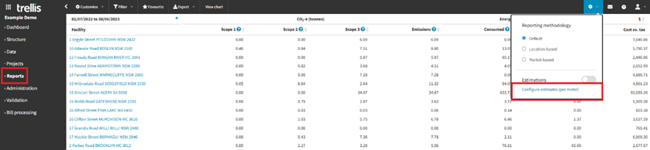
- Direct configuration link from reports
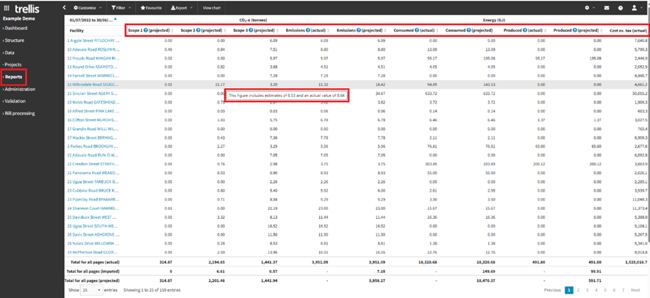
- Clear differentiation between actual and estimated data
Summary Report
Coverage Report
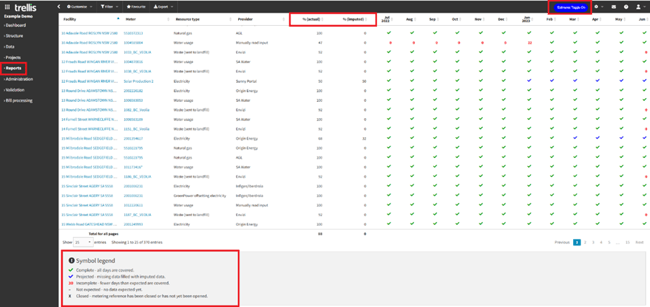
- "Average Over Last 12 Months" methodology
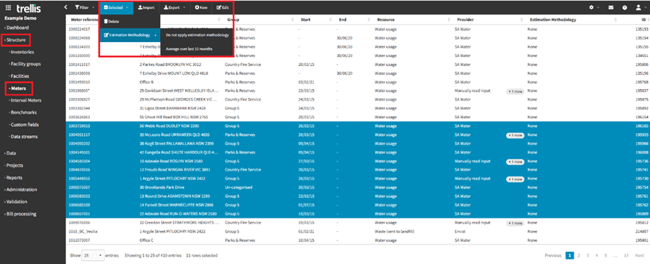
- Bulk update functionality on Meters page
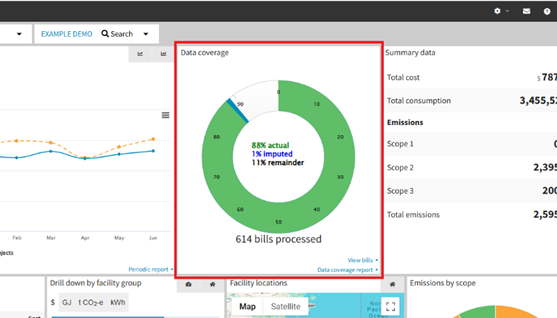
- Coverage Visualisation in dynamic dashboard wheel (with & without estimations):
- Actual data percentage
- Imputed data percentage
- Remainder percentage
Without Estimations
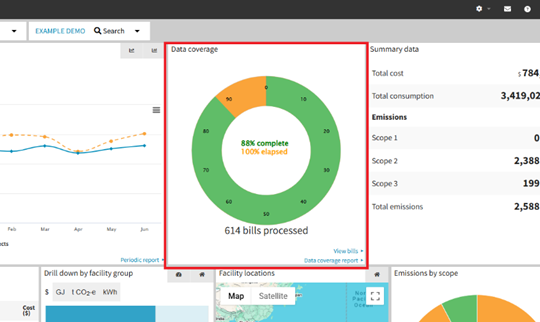
With Estimations
Note: Estimations feature is currently applicable to selected reports, while we progressively roll it out for additional ones. For more information and guidance on this new feature please refer to our Documentation
Meter Splitting Functionality
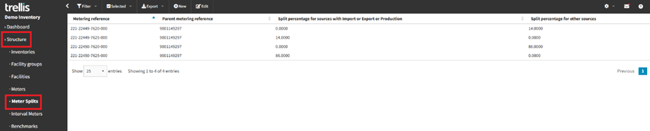
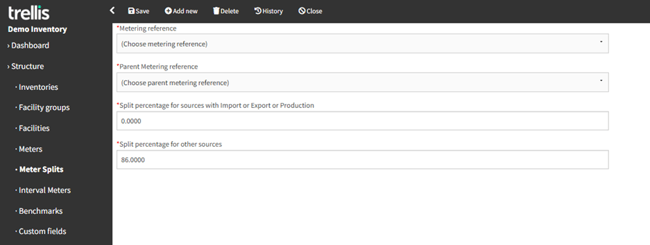
- Precise utility usage allocation
- Multiple meter distribution capabilities
- Separate allocation percentages for:
- Import/export/production sources
- Other sources like supply charges and service fees
Note: For more information and guidance of this new feature please refer to our Documentation
Other Technical Improvements
- Faster data loading
- Enhanced bulk action processing
- Optimised large dataset handling
- Improved export/import capabilities
- Created invoice approval report for clients with the invoice approval client feature enabled.
- Column divide adjuster for customised viewing and resizable table columns in all data tables.
- Added capability for admins to update reports, dashboard, and targets projections from the inventories list.
- Added facility and metering reference columns to invoices page, along with corresponding search functionality.
- Created new email notifications when no approver has responded to the invoices which are due within 14 days.
- Implemented rules to prevent users without edit access to an inventory from generating payment files in that inventory.
- Scope 3 GHG categories are now available for use as aggregation option in reports. Including feature to facilities be declared in a leasing.
These enhancements are designed to streamline workflows, deliver deeper insights, and ensure a more seamless user experience.
For detailed guidance on implementing these features or to learn more about specific functionalities, please contact our support team on support@yourtrellis.com