
We have enhanced our platform with powerful features to streamline data management, reporting capabilities, and financial controls while improving the overall user experience.
Key Topics Covered
Dedicated Inventory Mailbox
We have transformed our data processing pipeline by introducing a streamlined system using client and inventory-specific email addresses. This new approach replaces the legacy data@yourtrellis.com system, offering more efficient and secure bill processing tailored to each organisation's needs. The dedicated mailbox system ensures faster processing times and improved tracking of submitted documents.
File Status Tracking
Our new tracking system provides near real-time status and processing view of a file's progress through the Trellis ingestion and allocation pipelines. It allows users to stay informed of and respond proactively to processing issues and provide updated documents more cleanly and efficiently. Key features include but not limited to:
-
Detailed status information with hover-over explanations for excluded files
-
Downloadable file access for documents received after November 2025
-
Visibility restricted to users with full inventory access
-
Available as a standard feature for all clients
-20260106-011150-png.png?width=1711&height=870&name=Group%206%20(6)-20260106-011150-png.png)
Read More: File Status
Trellis Reporting API
The Trellis Reporting API marks a significant advancement in data accessibility. This feature provides endpoints giving customers programmatic read access to their Trellis account data. Organisations can now leverage their source data and structure tables for advanced operations, making it particularly valuable for teams with developed data infrastructure. Users can run their own queries on immediate live data, enabling sophisticated custom analysis and integration capabilities.
-png.png?width=1414&height=706&name=image-20251209-001946%20(3)-png.png)
Scheduled Data Exports
We have introduced a customised flat file export solution that automatically saves to your chosen file sharing destination periodically. The report spreadsheet structure is determined in consultation with our team from existing database fields, and compiled and pushed to a designated endpoint (such as an S3 bucket or file share folder) on schedule. This can be used by external BI tools to create custom reports and visualisations according to each user’s in-house needs and capabilities.
Read More: Data Integration with Trellis
Targets Module Enhancements
We have made significant updates to our Targets Module, which enables organisations to forecast future emissions with interactive visuals and scenario modelling for Net Zero targets. Using rich consumption-based baseline data from their own inventory, users can forecast future emissions, set emission reduction goals, and model the impact of various actions explored.
Users can now set goals by resources and Scopes 1, 2, or 3; track financial metrics such as Cost Savings, Net Cost, and Total Emission Savings; use granular filters to model from baselines specific to resources, scopes, or specific facilities or meter references in the inventory. The module also supports SBTi aligned target setting.
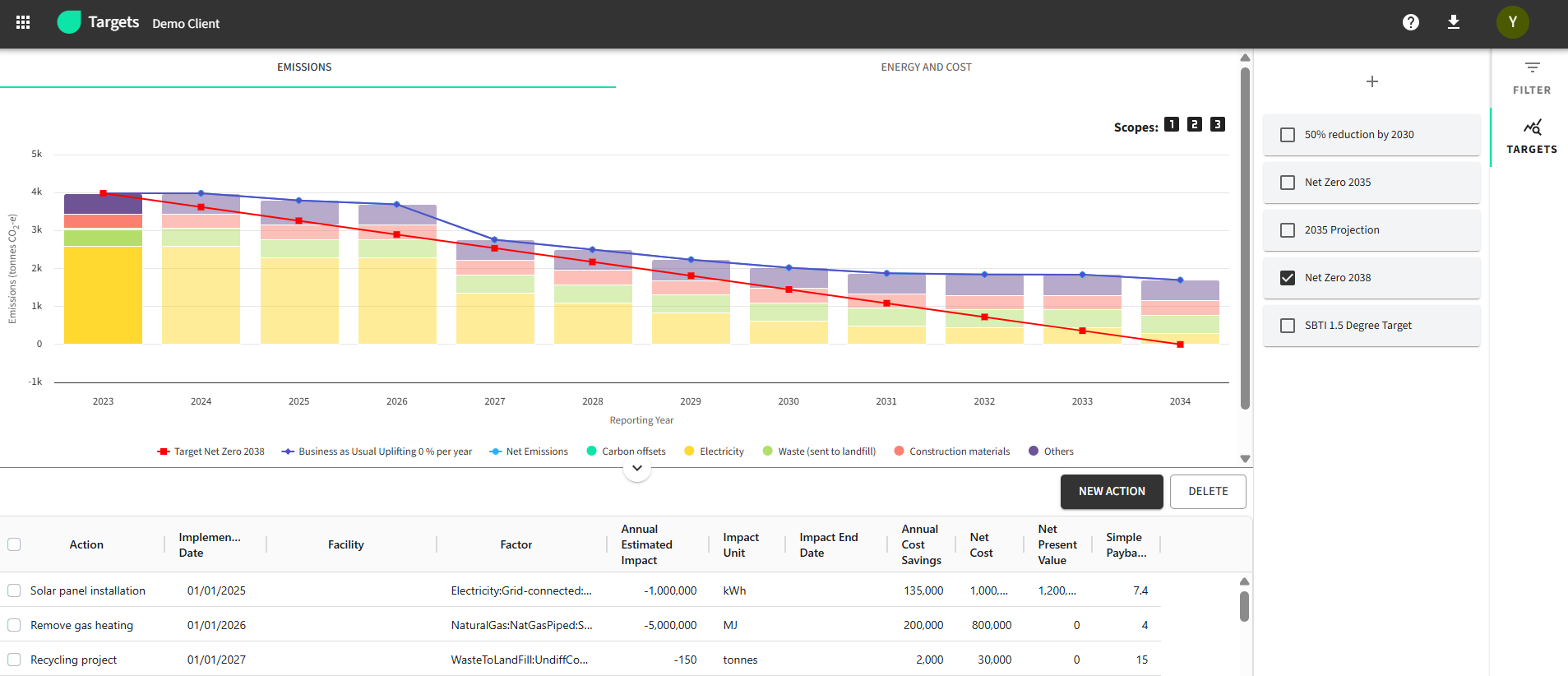
Read more: Targets Module
Invoice Monitoring
Our new Invoice Monitoring Module revolutionises the way organisations verify supplier billing accuracy. The system automatically compares utility invoice line items against expected reference rates from supplier contracts, eliminating the need for manual rate checking.
Users can quickly identify discrepancies through high-level summary statistics that highlight the biggest error contributors. The module provides detailed reasoning for each line-item check in a drill-down view and enables single-click export of supporting evidence for supplier follow-up.
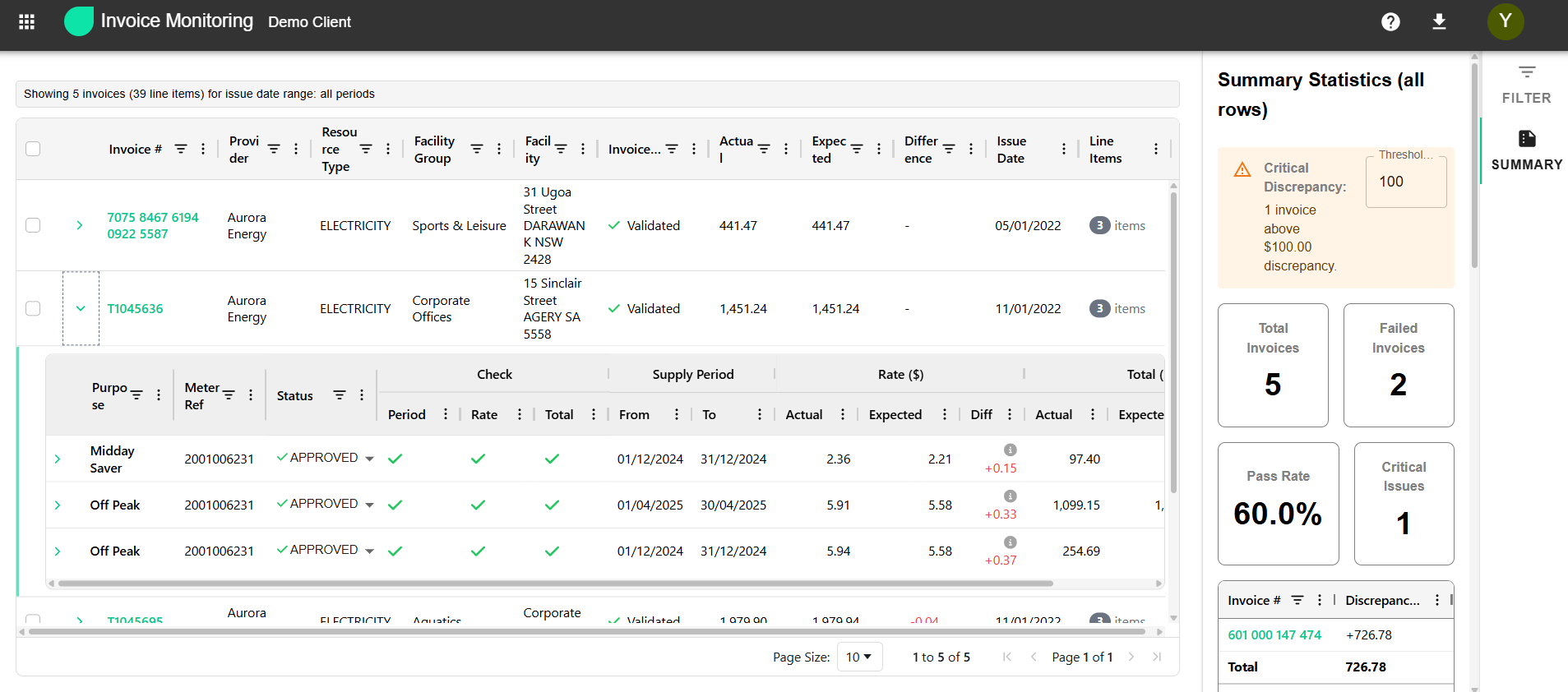
Read More: Invoice Monitoring
Enhanced Finance Workflow Management
We have expanded our invoice management capabilities for users to be able to track and update their financial workflows more efficiently and effectively.
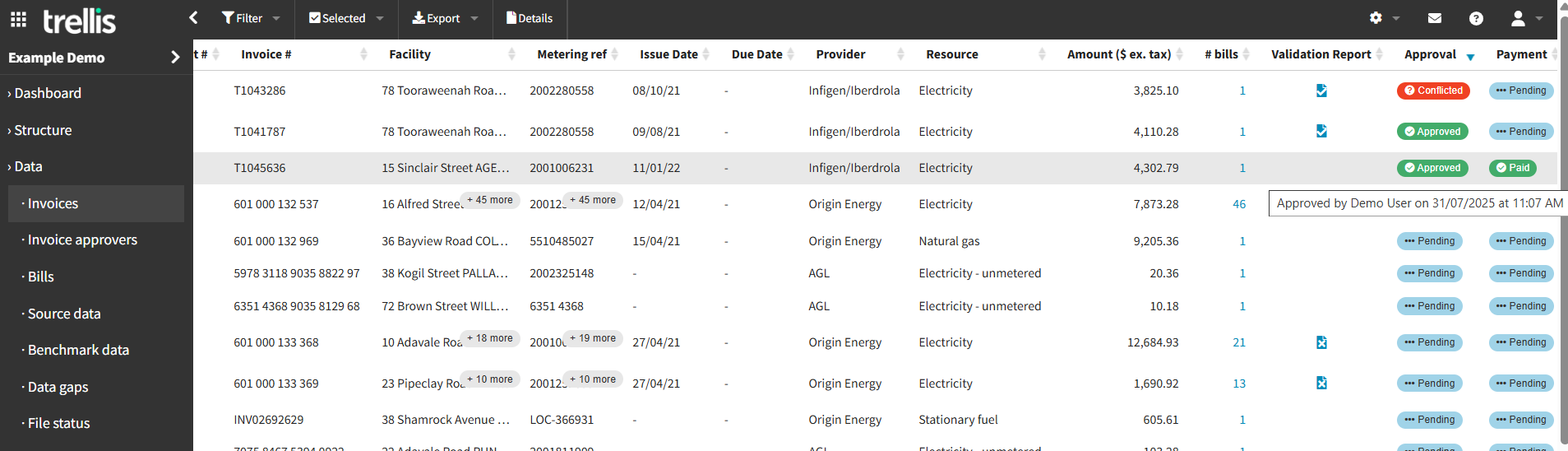
Our Invoice Approval feature enables designated users to approve or reject invoices for visibility to others in Trellis, with email notifications configurable for pending approvals or invoices nearing due date. Hovering over invoice status displays approver name and date approved. Payment status of an invoice displays to other users in the system when changed.
With our latest update, accounts with Invoice Approval enabled can access an additional filter on the Bill Exceptions Report page, allowing a user to filter the report to only display results for meters they are assigned to as an approver.
Read More: Invoice Approval
Our Payment File Generation feature enables the generation of payment files commonly imported into Accounts Payable systems directly from Trellis. Once configured, payment files using auto-extracted bill data can be generated for single or batch invoices from the Trellis web app in a few clicks. A summary preview page allows review before outputting, and the invoices page is updated to display that the payment file was generated for each invoice.
Read More: Payment File Generation
System-Wide Improvements
-
Optimised Loading Time: Improvements to loading times for dashboards and reports, especially for larger inventories.
-
Inventory Quick Switch: Added functionality allowing users with multiple inventories to efficiently switch between inventories from anywhere within the webapp.
-
Access Portal: New interface for users with multiple Trellis accounts, enabling seamless switching between different accounts after login for improved multi-account management. Read More: Multi-Account Access Portal
-
Facility & Meter Data Export: Users can now export facilities and meters in a format that aligns with the import template for easier bulk updating of the structure and populating custom fields.
These enhancements reflect our commitment to continuous platform improvement, focusing on user experience, data accuracy, and operational efficiency. Each new feature has been developed in response to user feedback and evolving industry needs.
Some features may require specific module access or additional configurations. Please reach out to our support team for further guidance on implementing these features.